Lighting can transform your gaming space or music experience. One popular method involves LED strips. These lights can enhance immersion and excitement. Many people wonder how to sync LED strips with music or gaming setups?
Setting up LED strips can be straightforward, but achieving the perfect sync often requires knowledge and patience. It's not just about installing lights; it's about creating an atmosphere. Consider the different types of LED controllers and software available. Each option can yield varying results. You may face challenges, such as latency issues or mismatched colors.
Experimentation is key. You might need to try different setups to find what works best for you. It's common to stumble at first, but that’s part of the process. With time, you will understand how to optimize your environment. Learning from mistakes makes the journey rewarding. Embrace the trial and error as part of mastering how to sync LED strips with music or gaming setups.
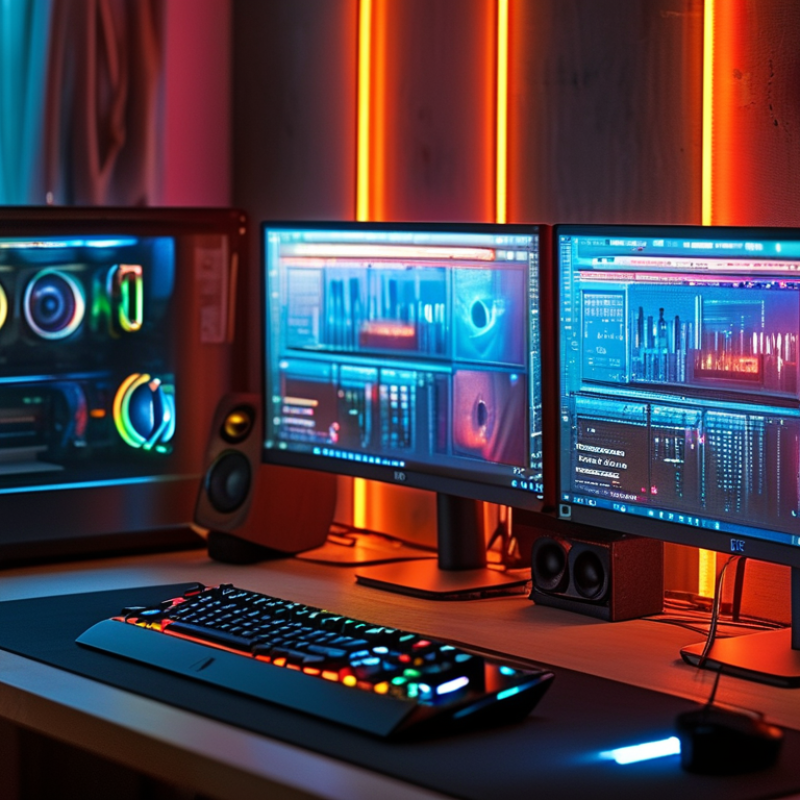
LED strip technology has gained popularity for its versatility in enhancing both ambiance and functionality. These lights utilize RGB (red, green, blue) diodes to create various colors and effects. This allows users to sync their lights with music or gaming environments easily. Research indicates that 70% of consumers prefer customizable lighting options that enhance their experiences. Understanding how LED strips operate is crucial for effective syncing.
To sync LED strips with music, consider using a controller that can detect audio signals. Some LED strips come with built-in microphones for this purpose. The controller interprets the sound frequency and adjusts the lighting accordingly. It's essential to position the microphone correctly to ensure accurate sound detection. Experimenting with different placements can lead to varying results. This trial-and-error approach can help users optimize their setup.
For gamers, syncing lights with gameplay can elevate the experience. Some setups use software that links gameplay data with lighting adjustments. This can enhance immersion, but requires a stable connection and performance. Users often face issues with latency. Regularly updating software can minimize these problems. Creating a setup for syncing lights takes time and patience, but the reward is a dynamic environment that complements any activity.
Choosing the right LED strips is essential for enhancing your music and gaming experience. Firstly, consider the type of LED strip you want. There are RGB, RGBW, and even addressable LED strips. RGB strips emit various colors, while addressable ones allow for more intricate effects. This allows you to sync the lighting to your music or game environment better.
To achieve the best sync, focus on the LED strips' brightness and reaction time. If they are slow to respond, the experience can feel disconnected. Look for models with a quick response time, ideally below 20 milliseconds. This ensures the lights pulse in time with your bass drops or game sound effects.
Another critical factor is installation. Proper placement can enhance the visual effect. Mount strips behind monitors or under desks for immersive lighting. Experiment with different layouts until you find what resonates. Remember, not every setup will work the same way. Testing is crucial to find the right mood for your gaming or listening session.
Setting up LED strips to sync with music or game audio can transform your environment. First, choose the right placement for the LED strips. Place them around your gaming setup or along walls to maximize visual impact. Proper positioning matters. The light will reflect and enhance the experience.
Calibration is key for syncing. Use software that analyzes audio signals. Many programs detect beats and adjust lights accordingly. This process may take time to perfect. Experiment with settings until the synchronization feels just right. Don’t hesitate to try different configurations. Each environment is unique.
Sometimes, the sync might not be perfect. You may notice a lag or mismatch in colors. Adjusting sensitivity can help. Balance is essential, but trial and error is part of the process. Focus on what feels immersive rather than what looks flawless. Enjoy the vibrant responses to your audio, and embrace the learning journey.
Configuring LED strip software and apps is essential for optimizing your lighting experience. Many users overlook the importance of software settings. Ensure you have the right app installed for your LED strips. There are various options available, allowing you to customize colors and effects.
When setting up, connect your strips to the software. Calibration is key. Sometimes, the colors might not match your expectations. Take time to adjust the color balance settings. Experiment with brightness levels to find what suits your environment best. Observe how the strips react to music or gaming sounds.
In some cases, synchronization issues may arise. It can be frustrating. Check for updates regularly to avoid bugs. If you notice lag, try reconnecting your LED strips. Each app has its nuances. Explore tutorials to understand advanced features. While the results may not always be perfect, tweaking settings can enhance your overall experience. Embrace the trial and error process to find the best setup for your needs.
This bar chart displays the synchronization intensity of LED strips with various sound frequencies. The data indicates how effectively the LED strips react to different sound frequencies, providing insights into optimal configurations for an immersive experience.
Customizing LED strip lighting based on audio or game events can create an immersive experience. Start by using software that analyzes sound frequencies. This software can connect with your LED strips, allowing the lights to pulse with your music or in-game actions. For example, low bass sounds could trigger deep, vibrant colors, while higher frequencies might result in sharper, brighter hues.
Consider the setting where you use your LED strips. The colors can significantly enhance mood. A gaming setup might benefit from cooler colors during intense action. In contrast, softer hues could be perfect for relaxing or reading. However, be mindful about the brightness. Excessively bright lights can be distracting. Adjusting the intensity based on the activity is crucial.
Experimenting is key. You may find your initial choices don’t fit the atmosphere you want. Don't hesitate to change colors or patterns until it feels right. The goal is to create a space that resonates with your audio and enhances your gaming experience. Listening to feedback from friends can also help refine your setup. Your choices can either elevate or detract from engagement, so keep iterating until it feels cohesive.
: LED strip technology offers versatile lighting that can enhance ambiance and functionality.
Use a controller that detects audio signals. Some strips have built-in microphones to assist.
Microphone placement affects accuracy. Experimenting with different positions is necessary for optimal results.
Select strips based on their types, like RGB or addressable ones, for better syncing effects.
A quick response time under 20 milliseconds is ideal to keep lights in sync with audio.
Proper placement enhances visual effects. Test layouts carefully for the best ambiance.
Users often encounter latency issues. Regular software updates can help minimize these problems.
Yes, testing different setups helps find the perfect mood for activities. Not every method works the same.
In exploring the topic of "How to sync LED strips with music or gaming setups?", the article begins by detailing the fundamental technologies behind LED strips, providing a foundation for understanding their synchronization capabilities. It emphasizes the importance of selecting the appropriate LED strips that are designed for optimal integration with music and gaming systems.
The guide further elaborates on setting up the LED strips for synchronization with audio inputs, whether from music or game sounds. It discusses configuring various software and applications to enhance performance, allowing for seamless interaction between visual effects and audio cues. Additionally, tips for customizing lighting effects based on specific audio or game events are provided, ensuring an immersive experience that can elevate both the musical and gaming atmosphere.

Zionsville Lighting